Ms Ha: Hi, do you still have the 500ml wild honey?
Hi Ms Ha, yes, we have the 500ml wild honey at $10 a jar. If you'd like 2, we can deliver this afternoon. Could you send me your address?
An AI assistant team for online sellers
Agent Space is a team of AI assistants that works on your computer while it is on and the app is open, each one holding a single job such as answering customers or drafting next week's posts. They only write drafts, and nothing goes out until you press Approve.
Ms Ha: Hi, do you still have the 500ml wild honey?
Hi Ms Ha, yes, we have the 500ml wild honey at $10 a jar. If you'd like 2, we can deliver this afternoon. Could you send me your address?
A sample company from the web version, where every task is simulated; press Try it to give your own task.
01Give the task
Type one ordinary sentence, like “reply to Ms Ha about the 500ml honey”, press Enter, and the task goes to the assistant in charge without you learning how to write instructions for an AI.
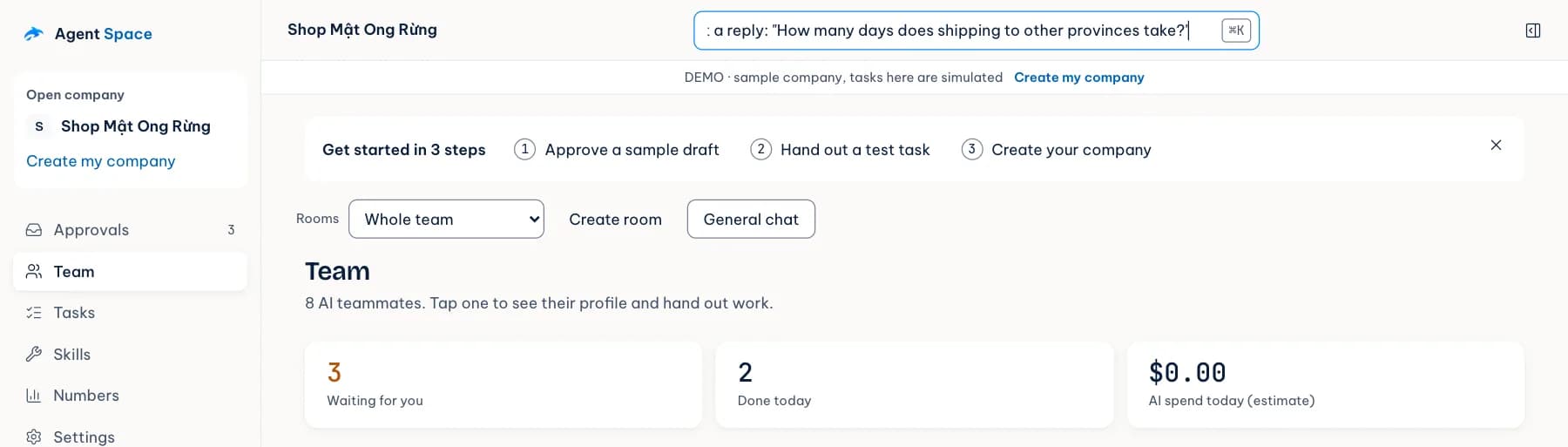
02Assistants draft
The Replies & orders assistant handles customer messages and the Posts assistant writes for your Facebook page, so one look at the Team list tells you who is drafting what and which jobs are waiting for you.
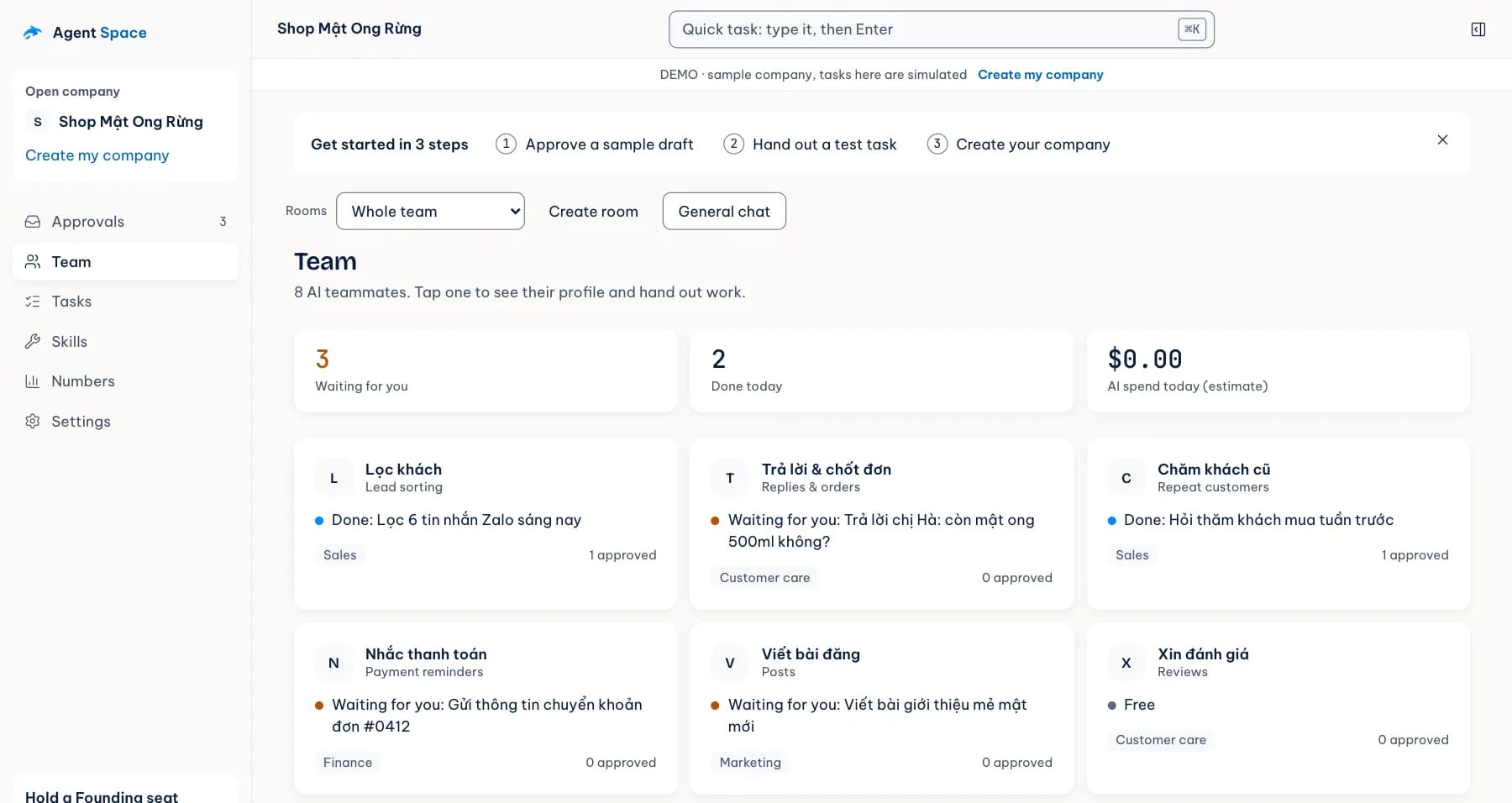
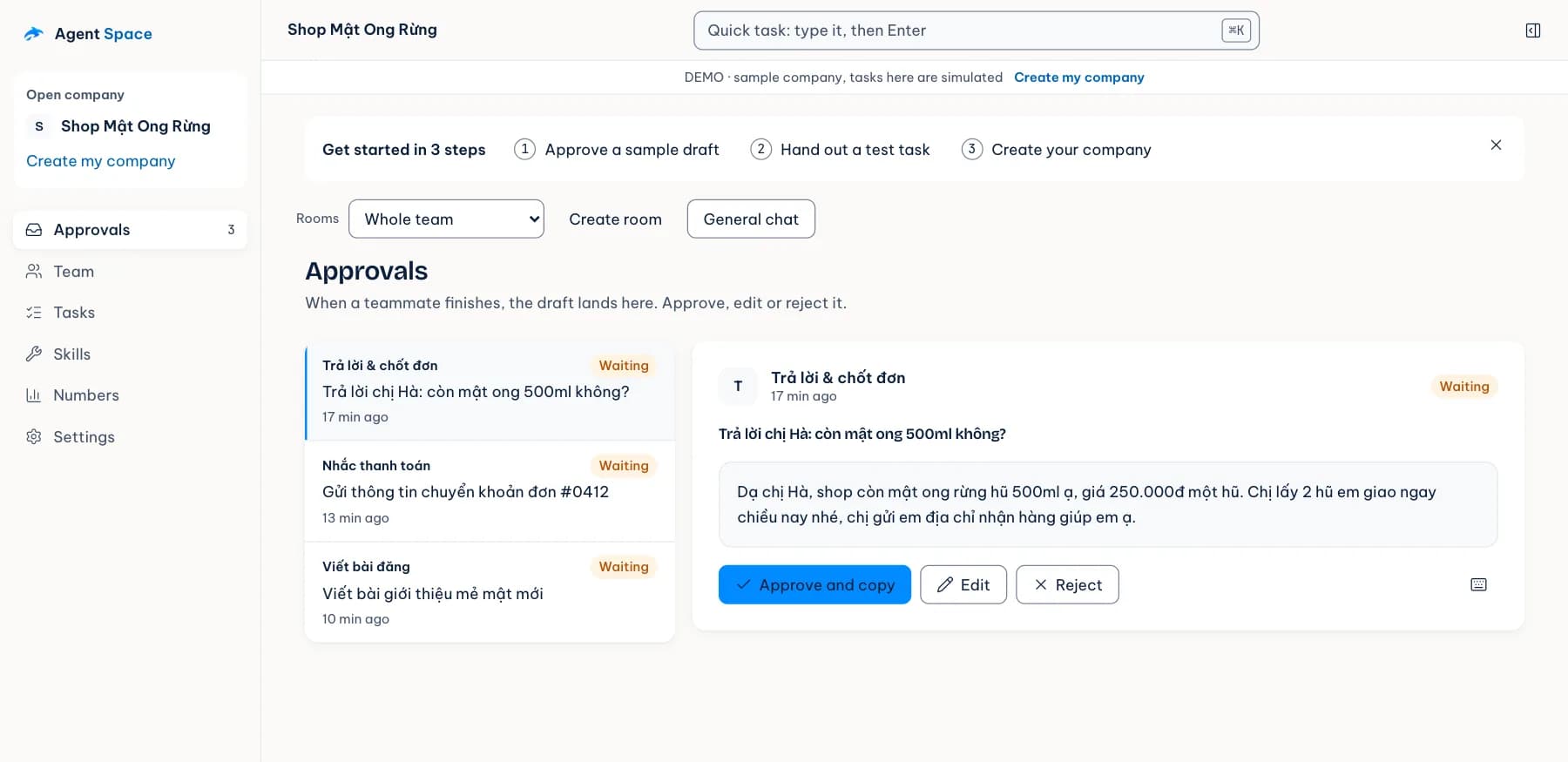
03You approve
The draft sits on one card with the customer's original message and the recipient's name; read it once and press Approve and copy to paste it into your Zalo chat, or if it isn't right yet, change a few words or reject it so the assistant tries again.
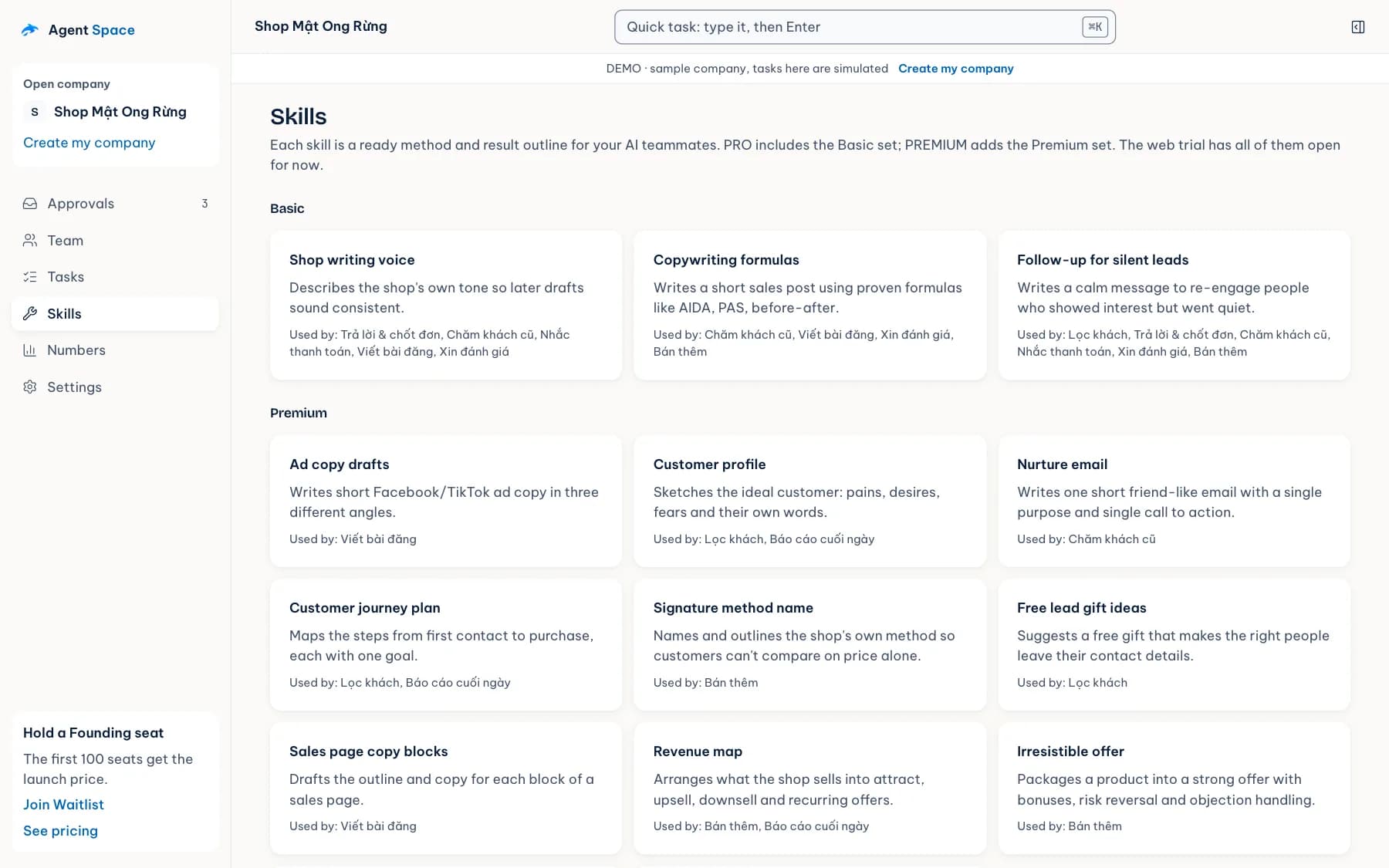
04Assistants remember
After each conversation the assistants distil a few lines into Memory, such as “Ms Ha usually takes the 500ml jar and prefers afternoon delivery”, so the next draft uses it without you repeating yourself.
Before and after
The situation below will be familiar to online sellers; it is not a quote from any specific customer.


Straight answers
There are things Agent Space deliberately does not do, so reading this first may save you a wasted try.
Features
The six areas you use daily; open a tile to see illustrations and its limits.
Read the draft next to the customer's original message, then approve it or send it back for another try.
Give each assistant a named role, such as Lead sorting or Payment reminders; the sample company comes with eight roles to look at first.
Ask an assistant the way you'd text, and type / for quick commands.
Split work by project and let several assistants discuss one job.
Notes the assistants distil from conversations; search, edit, delete or export them.
From an idea to a draft post that you read before using.
Data and control

Your assistants work in the desktop app while it is open and your computer is on and online. AI keys and your license go into the app's Settings. In the web version, data and AI keys stay only in the browser you use.
Learn about data securityAI API requests send content to the provider you chose, and the approval inbox does not block those requests. Read your provider's policy before sending sensitive data.
Read the personal data noticeCheck your plan and payment history, create a license token for your computer, and review or revoke paired devices.
Open your account100first Founding seats
Pricing
The web version is free with every feature. Plans for the desktop app are not on sale yet, so you can hold a Founding seat and hear first when they open.
Opening soon · first 100 seats
People on the waitlist hear first when sales open
No. Customer messages wait in Approvals until you check the recipient and content; only when you press Approve is a message sent through the channel set up in the app, or copied for you to paste.
No. The app works only while your computer is on, online and the app is open; running around the clock needs your own VPS, and the Download page says whether that option is ready yet.
Yes. Create a key with the provider you choose, such as Google, OpenAI, Anthropic, OpenRouter, DeepSeek or Groq, paste it into Settings and pay them directly; Agent Space adds nothing on top.
Yes. API requests send the content to be processed to your configured provider, and Approvals governs customer messages, not requests to AI. If you use DeepSeek, data is stored in China.
The download button appears only when a signature-checked installer exists and you are signed in with a plan or trial. Until then the web version works right away, for free. Check desktop availability
The web version runs in a browser tab with data and AI keys kept in that browser, and closing the tab stops the assistants. The desktop app runs on your computer as its own application, while the website is where you check your plan, pair computers and manage devices.
You pay by VietQR transfer using the order code; the plan turns on when the system receives the bank's credit notice and it does not renew by itself. Time already used is not refunded; if you sent a duplicate, short or excess amount, message Amon on Zalo with the order code so AgentSea can check it against the bank. Read the refund policy
Open the web version, paste your AI key into Settings, then paste that question into the task bar, see what the assistant drafts and decide for yourself whether to use it. Without a key the assistants run a simulation so you can see how it works, with no sign-in, and the data stays in your browser.